A new pattern is emerging in how developers build UIs with AI agents. Instead of vague prompts like “make a landing page that looks modern”, a single markdown file — DESIGN.md — is placed in the project root. The agent is then instructed: “build me a page that looks like this.”
It works. Here is how.
What is DESIGN.md?
DESIGN.md is a concept introduced by Google Stitch. It is a plain-text design system document that AI agents read to generate consistent, on-brand UI. No Figma exports, no JSON schemas, no special tooling — just a markdown file.
The relationship is analogous to AGENTS.md but for design:
| File | Who reads it | What it defines |
|---|---|---|
AGENTS.md | Coding agents | How to build the project |
DESIGN.md | Design agents | How the project should look and feel |
A DESIGN.md contains:
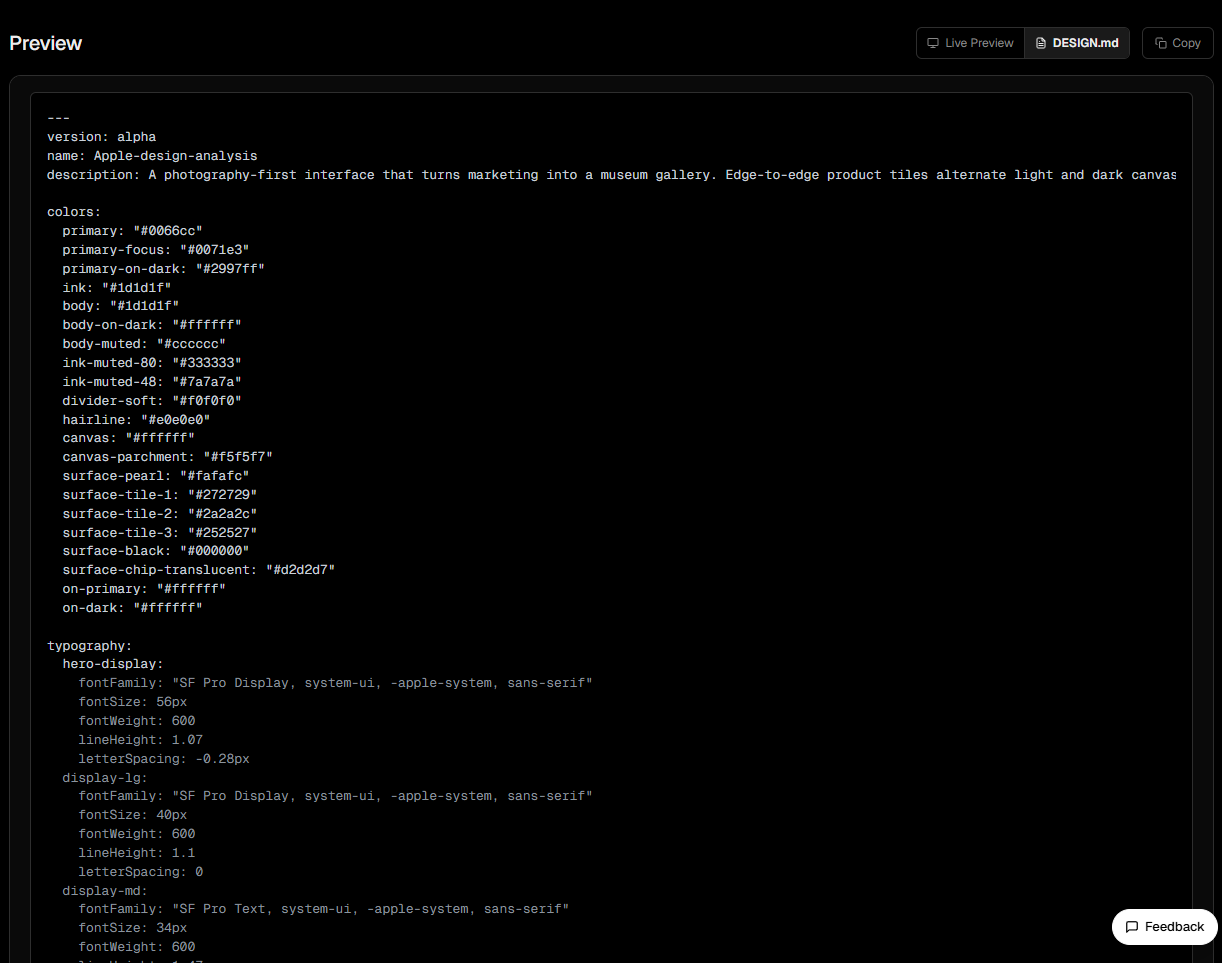
- YAML frontmatter — structured tokens for colors, typography, spacing, border radius, and component definitions
- Prose sections — Visual Theme, Color Palette, Typography Rules, Component Stylings, Layout Principles, Elevation, Do’s and Don’ts
- Agent Prompt Guide — ready-to-use prompts for any AI agent
The YAML frontmatter is machine-readable for precise agent parsing while remaining human-readable for direct editing.
Browse the Collection: getdesign.md
getdesign.md is the first — and largest — collection of DESIGN.md files in the ecosystem. Maintained by the VoltAgent team, it currently hosts 71+ DESIGN.md files covering brands from Vercel to Ferrari.
Grab a DESIGN.md
Vercel has one of the most comprehensive DESIGN.md files in the collection. To add it to a project:
npx getdesign@latest add vercelThis creates DESIGN.md in the project root — a 41KB document containing everything an AI agent needs to render Vercel’s design language.
The YAML frontmatter structure (truncated):
colors:
  primary: "#171717"
  canvas: "#ffffff"
  canvas-soft: "#fafafa"
  ink: "#171717"
  body: "#4d4d4d"
  link: "#0070f3"

typography:
  display-xl:
    fontFamily: "Geist, Inter, system-ui, sans-serif"
    fontSize: 48px
    fontWeight: 600
    lineHeight: 48px
    letterSpacing: -2.4px

components:
  button-primary:
    backgroundColor: "{colors.primary}"
    textColor: "{colors.on-primary}"
    rounded: "{rounded.pill}"
    typography: "{typography.button-lg}"
The reference syntax ({colors.primary}, {rounded.pill}) enables token composition — changing a token once propagates to every component that references it.
How to apply DESIGN.md to Claude Design
With the DESIGN.md ready, the next step is to use it inside Claude Design. This workflow lets you build a design system that powers and standardizes page layout through rapid AI prototyping.
Workflow
-
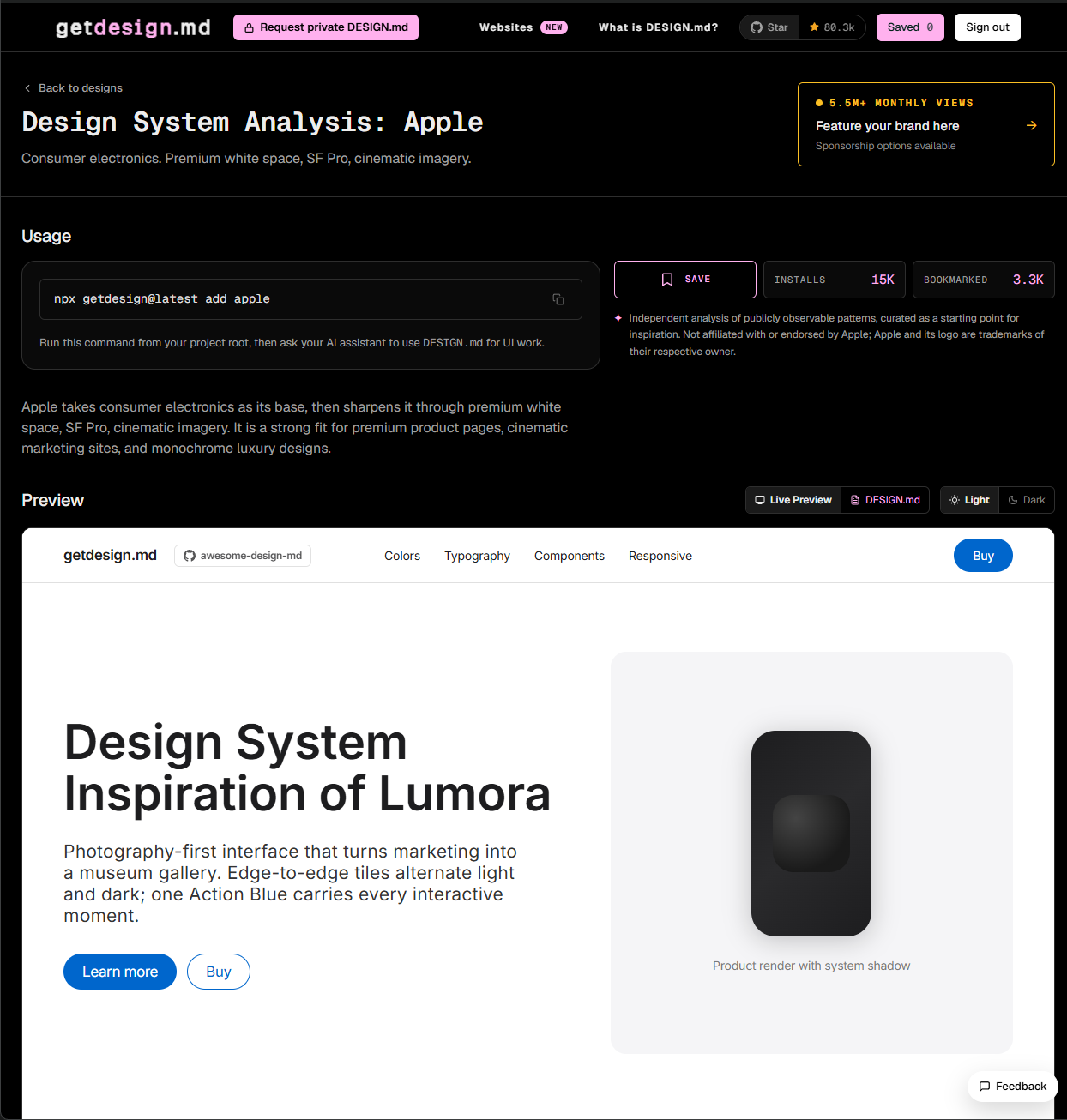
Pick a reference DESIGN.md
-
Browse getdesign.md and choose a visual reference.
-
Click “DESIGN.md” and copy the entire file content.
-
-
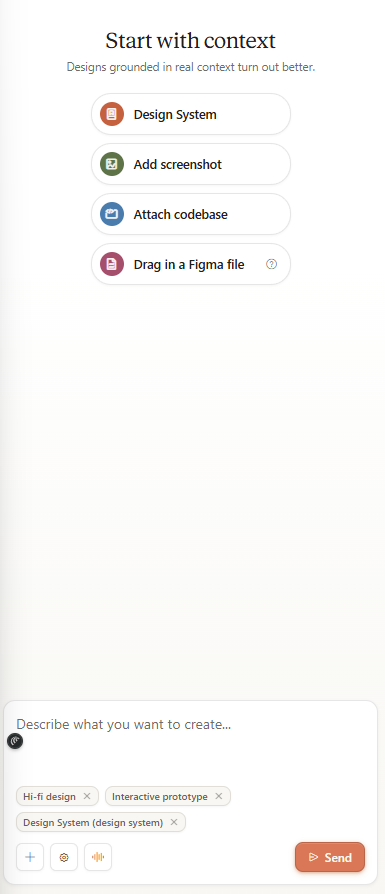
Open Claude Design
-
Click ”+ Create” to start a new prototype.
-
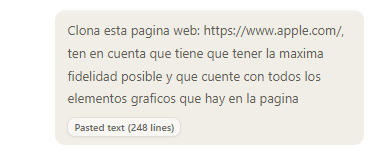
Enter a prompt describing the interface to build. For example:
Clone this website: https://www.apple.com/. It must have maximum fidelity and include all graphic elements from the page. -
Paste the DESIGN.md content as design context.
-
-
Review the output
Claude Design generates a prototype that follows the DESIGN.md tokens. If the result is not what you expected, iterate by modifying the file and regenerating.
Why this workflow works
- Visual consistency — every generated component respects the same palette, typography, and spacing.
- Fast iteration — edit the DESIGN.md and regenerate without re-explaining the style.
- No external tools — no Figma, Sketch, or other design tools needed.
Design as code. Tokens as source of truth.